
Best eSIM for Japan: Data Plans, Setup & Travel Tips
Choose an eSIM for Japan with confidence. Compare practical data needs, check phone compatibility, install before departure, avoid roaming mistakes, and get connected when you land.
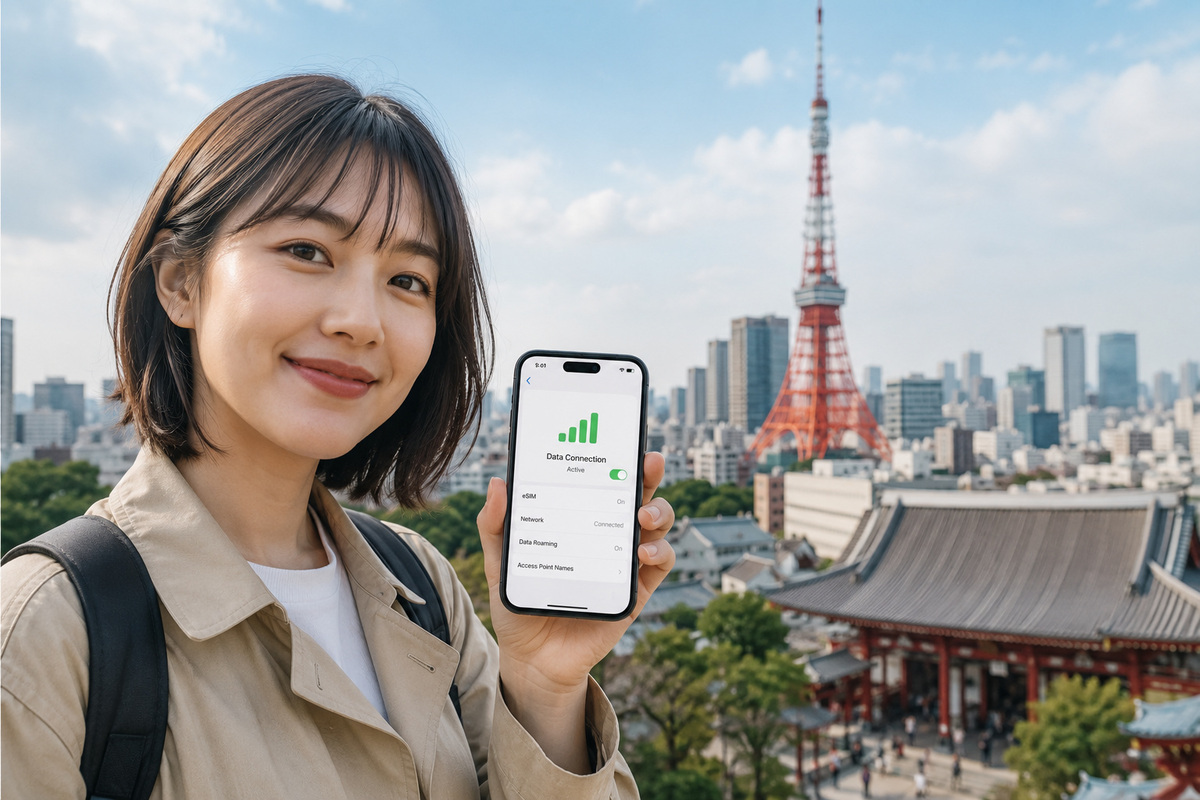
For a Japan trip, choose an eSIM by device compatibility, trip length, actual data use and the full plan rules, not by a single brand recommendation. Saily is an easy app-based starting point, Ubigi is worth comparing for fixed-data value and reusable eSIMs, Airalo offers Japan-only and broader regional options, and Nomad has a wide range of fixed-data and longer-trip plans. Compare the same data allowance and validity in the same currency before buying. No provider guarantees coverage on every train, in every building or in remote areas. Travelers with a locked phone, a group sharing several devices or a need for a local voice number may need a different solution.
What You’ll Learn
- How Saily, Ubigi, Airalo and Nomad differ, including reasons not to choose each one
- Which Japan data allowances are realistic for one week, two weeks or a longer stay
- How to compare an official price snapshot without mistaking a promotion for a lasting ranking
- What unlimited, hotspot, voice/SMS and local-network coverage really mean
- How to install an eSIM safely and avoid charges on your regular home SIM
- When a physical SIM, your home carrier or pocket Wi-Fi is the more practical purchase
How We Compare Japan eSIM Plans
This is an editorial buying guide, not a lab speed test. We compare the official Japan plan pages and provider instructions available when this guide was prepared. We have not independently measured signal strength, tested each provider across Japan or negotiated private prices. A carrier name on a provider page indicates a stated partner network, not a guarantee that every plan can use every partner at every location.
A useful comparison holds four things constant: destination (Japan), amount of full-speed data, validity period and checkout currency. Only after that should you weigh hotspot limits, daily fair-use restrictions, activation deadlines, ability to top up, refund terms and support. Promotions, app-only plans and regional bundles can reverse a price ranking.
- Deal-breaker first: verify that your exact phone variant supports eSIM and is unlocked.
- Then calculate use: estimate data needed away from hotel Wi-Fi and add a sensible contingency margin.
- Match dates: confirm whether validity starts on purchase, installation, first connection or manual activation.
- Compare like for like: a 10 GB/30-day plan is not equivalent to an unlimited plan with a daily full-speed cap.
- Check the exit: know whether adding data uses the same eSIM and how support works if activation fails.
Saily vs Ubigi vs Airalo vs Nomad: Which Should You Shortlist?
These providers are competitors, not interchangeable products. The table is a choice guide, not an unverified score, and the plan details linked in Official References are the final authority.
| Provider | Why consider it | What to check before paying |
|---|---|---|
| Saily | App-led setup, several Japan fixed-data sizes, hotspot support and an unlimited option. | For unlimited, compare the daily full-speed allowance and reduced speed afterward. Verify whether you are buying data only or a separate voice/SMS add-on. |
| Ubigi | Reusable eSIM, one-off Japan data packages, in-app top-ups and published local network information. | Check one-off versus recurring subscription, plan start conditions, and whether the advertised data size/price is still current. |
| Airalo | Japan-only, Asia-region and global packages; handy to check if your journey crosses borders. | Confirm the exact Japan package, included countries, validity, top-up eligibility and any calls/SMS conditions. |
| Nomad | Japan fixed-data tiers including higher capacities, plus longer-trip and regional options with add-ons. | Verify any sale price, provider-specific activation deadline, and network/fair-use details for the chosen package. |
Why we do not publish a universal speed ranking: network access and throughput depend on the exact plan, partner carrier, location, device bands and congestion. No verified head-to-head field measurements were available for this article. A one-city speed screenshot or a marketing award is not enough evidence to claim nationwide superiority.
A Price Check With Matching Plans, Not a Misleading Cheapest Label
For one concrete benchmark, consider 10 GB of fixed data valid for 30 days. The provider pages showed the following examples. These are snapshots, not guaranteed checkout quotes:
| Provider / reference package | Displayed price | Comparable conclusion |
|---|---|---|
| Saily Japan, 10 GB / 30 days | US$17.99 | A directly comparable U.S.-dollar fixed-data option on the official Japan page. |
| Ubigi Japan, 10 GB / 30 days | US$16.50 | US$1.49 lower than the displayed Saily benchmark before any new promotion or taxes. |
| Nomad Japan, 10 GB / 30 days | €14.23 promotional listing | Not directly comparable in a U.S.-dollar table without a current exchange rate and final checkout fees. |
| Airalo Japan | Check official selector | A like-for-like fixed-data price could not be confirmed in the same currency and configuration at review time. |
The US$1.49 difference above is real arithmetic (17.99 minus 16.50), but it is not proof that one service is better. Ubigi and Saily may have different local networks, installation flows, customer support, refund policies, privacy tools or top-up behavior. If you expect to use only 3 GB, repeating the same 10 GB comparison would be a waste; compare the actual smaller plan instead.
Do not convert a euro promotion into a U.S.-dollar winner using an invented exchange rate. Select the same billing currency, note whether tax or discounts are applied, and compare the amount you would actually pay. If a plan page changes, the live purchase screen supersedes every figure on this page.
Pick Your Data Allowance With a Worked Travel Example
The following planning assumptions are not measured provider usage figures. The number of downloads, video calls and background app updates can change consumption dramatically:
| Traveler pattern | Illustrative mobile use | Practical starting check |
|---|---|---|
| Mostly maps, messages and occasional ticket downloads | 0.2–0.4 GB per day | Check 3–5 GB for a week if most video viewing stays on Wi-Fi. |
| Maps, research, social photos and regular browsing | 0.5–1.0 GB per day | Check around 10 GB for a 10–14-day visit; adjust for your own phone history. |
| Video calls, frequent uploads or tethering a laptop | 2 GB or more per day | Compare 20–50 GB and unlimited fair-use rules, not just the word unlimited. |
Worked example: ten sightseeing days at an assumed 0.6 GB/day equals 6 GB. Adding a 25% contingency gives 7.5 GB; a 10 GB package is therefore a convenient starting comparison. If you know your phone routinely uses 2 GB/day, that conclusion is wrong for you: use your actual settings history and choose a larger data plan.
- Before leaving: turn off automatic app updates, cloud photo backup and autoplay on cellular if you want a smaller plan.
- At the hotel: download maps, translation packs, bookings and playlists over a trusted Wi-Fi connection.
- For working trips: confirm tethering and any hotspot-specific or fair-use limit rather than assuming all data can be shared at full speed.
Unlimited Does Not Always Mean Unlimited Full-Speed Data
The important question is not just whether a plan says unlimited, but how much data remains at normal speed. Saily’s official Japan unlimited offer describes 5 GB of full-speed data per day, followed by access at up to 1 Mbps until its next daily reset. That may still work for maps and messages, but it is not the same as uninterrupted high-speed video or laptop tethering.
Ubigi also publishes fair-use conditions for some unlimited offers; the relevant threshold and speed depend on the chosen package. Nomad and Airalo unlimited products require the same package-by-package check. A traveler uploading large video files should prefer a plan with a clearly understood full-speed allotment over an ambiguous unlimited label.
- Identify the amount of full-speed data, any daily reset and the speed after throttling.
- Check whether hotspot traffic counts toward the same limit or has a separate restriction.
- Compare the total fixed-data price if you can estimate your use rather than paying extra for peace of mind you will not need.
Which Provider Fits Which Japan Trip?
| Trip | First comparison to make | The catch |
|---|---|---|
| 5–7 days, solo city travel | Compare Saily, Airalo and Nomad smaller Japan-only plans in the same currency. | Do not buy a longer plan unless the price gap is negligible; check a small allowance against real usage. |
| 10–14 days, frequent train navigation | Compare Saily and Ubigi 10 GB/30-day options plus Nomad fixed-data deals. | A lower checkout price may come with different activation, support or local-network rules. |
| 2–4 weeks, frequent uploads | Compare Nomad higher fixed-data tiers with Saily/Ubigi larger or unlimited plans. | Calculate full-speed needs and any throttling rather than treating unlimited as limitless. |
| Japan plus Korea or another destination | Check Airalo, Nomad, Saily or Ubigi regional coverage for every destination. | A Japan-only plan is not automatically valid in another country; stopovers may not be covered. |
| Three travelers who split up | Check one separate eSIM per phone and compare the combined price. | A shared pocket Wi-Fi unit cannot provide independent internet to people in different neighborhoods. |
| Family traveling together with several devices | Compare one rental pocket Wi-Fi router with individual eSIMs. | Routers require charging, pickup/return and keeping people physically close. |
| Phone locked or without eSIM support | Check home-carrier roaming or an unlocked compatible spare device. | A digital eSIM cannot bypass a carrier lock. A physical SIM also usually requires an unlocked phone. |
A separate data connection for each person costs more than one shared router in some cases, but it remains available when the group separates. Conversely, an individual eSIM is often simpler for solo travel because there is no rental equipment to return. For a full hardware comparison, see the existing Pocket WiFi vs eSIM guide under Related Guides.
Check Your Exact Phone Before Spending Money
First open your device settings and confirm that it supports eSIM. On an iPhone, the availability of Add eSIM is a useful initial clue; Apple advises travelers to check Settings → General → About → Carrier Lock, where an unlocked phone shows “No SIM Restrictions” in the English interface. Models sold for some markets have different SIM capabilities even when the model family name is familiar.
On Android, look for an eSIM/add mobile plan option under the mobile-network or SIM manager settings, then compare your exact manufacturer model number and regional variant with the provider’s official compatibility list. Do not infer support merely because a friend’s phone with a similar name supports eSIM.
- Confirm the device is carrier-unlocked before purchasing another provider’s eSIM.
- Ensure you can receive the installation QR code or access the provider app over reliable Wi-Fi.
- Check whether your phone can keep the home number active alongside the travel eSIM if needed.
- If your phone is locked, contact your home carrier; do not purchase a second SIM as an attempted workaround.
Install Before Departure, Activate According to the Specific Plan
Buying an eSIM, installing the digital profile and starting the paid plan period are not necessarily the same action. Read the terms for your particular package. Saily describes activation on connection in Japan when configured correctly; Ubigi advertises Smartstart for eligible one-off plans; Nomad says some products have a limited time after purchase in which activation must occur. Never assume a plan can sit unused forever.
- At home on Wi-Fi: buy the correctly sized plan, keep the confirmation email, and install the eSIM using the app or QR instructions.
- Name your lines: label one “Home” and the other “Japan” to make accidental switching less likely.
- Before landing: keep the home carrier’s cellular-data roaming disabled unless you have knowingly chosen a paid roaming plan.
- After landing: enable the Japan eSIM, select it for mobile data and enable roaming on the Japan travel eSIM if instructed.
- Test a page away from Wi-Fi: confirm that traffic is on the travel line, then download any remaining essential maps or booking details.
If installation requires a second screen to display the QR code, use the provider’s direct-install flow where available or show the code on a computer or companion device. Save important setup directions offline.

Protect Your Home Number From Roaming Charges
Keeping two lines enabled can be convenient for SMS verification, bank messages and calls, but the phone may switch data paths if automatic data switching remains on. On a dual-SIM phone, set the Japan travel eSIM as the mobile-data line; disable mobile-data switching if the home plan would charge roaming fees. Leave home-line data roaming off unless the carrier explicitly includes Japan.
Voice calls and outgoing messages on your home number can still be chargeable even if mobile data uses a travel eSIM. Apple notes that using two active lines abroad may still incur charges on the primary line. A travel data plan usually does not automatically provide a Japanese phone number; check the exact product and any separate voice/SMS add-on if calling regular Japanese phone numbers matters.
- Home line: keep it for essential calls or verification if you accept the carrier terms; disable its roaming data.
- Travel line: select it for cellular data and enable its roaming setting only when the provider requires it.
- Apps: use internet calling when appropriate, but remember emergency services may require a proper voice service or another phone.
- On return: switch mobile data back to your home plan and turn off or remove the travel profile only after reviewing the provider’s reuse policy.
Networks, Rural Coverage and the Offline Backup
Official provider descriptions list Japanese partner networks, but partner access and performance can depend on the specific plan. Ubigi lists KDDI, NTT Docomo and SoftBank on its Japan package page. Nomad lists KDDI au and SoftBank for its Japan offering. Saily lists local partners including KDDI and SoftBank. Airalo’s Japan selector also displays its stated supported network(s). This is useful research, but not a verified finding that one service is fastest.
A busy subway platform, a tunnel, a high-rise basement and a mountain valley can have different signal conditions. If you travel outside the major cities, check the provider’s official coverage information, prepare offline maps and store your hotel address, travel tickets and translation phrases where they remain accessible without data.
- Use airport or hotel Wi-Fi as a backup during setup and support contact.
- Avoid depending on mobile reception for QR ticket retrieval at the platform; save tickets where permitted beforehand.
- For remote areas, check local conditions and consider a second independent connection if internet access is mission-critical.
- Do not purchase based on an unverified promise of perfect 5G or universal coverage.

How to Recover When the eSIM Has No Internet
If the eSIM appears installed but no website loads, the fastest fixes are configuration checks. Do not delete the eSIM as your first troubleshooting step: some products cannot be reinstalled without contacting the provider.
- Switch Wi-Fi off briefly and confirm that the travel eSIM is the selected cellular-data line.
- Check whether data roaming is on for the travel line if required by the plan; keep home-line roaming off.
- Toggle airplane mode, then restart the phone if necessary.
- Check the provider app for plan validity, remaining data and any required activation step.
- On Android, verify the APN only if the official setup instructions ask you to; do not guess values.
- If still offline, use airport or hotel Wi-Fi to contact support with the order number, phone model, country and screenshots of settings (without passwords).
Sometimes the problem is coverage rather than activation. Try again above ground or near a window after checking service notices. A temporarily offline payment or navigation app is a good reason to have tickets, hotel contact details and route screenshots saved ahead of time.
A Purchase Checklist That Can Save Money and Trouble
- Route: Japan-only or a confirmed multi-country package?
- Phone: exact model and variant eSIM-compatible and unlocked?
- Allowance: enough full-speed data for the expected use, with a buffer?
- Validity: covers arrival through the departure day, including any time-zone boundary?
- Start rule: do you know when the validity clock begins and the purchase-to-activation deadline?
- Hotspot: allowed, and if so, with what caps or restrictions?
- Calls/SMS: data only, or a separately supported number product?
- Checkout: same currency, taxes, promotions and refund rules checked?
- Support: an available contact path if you cannot activate after landing?
- Backup: offline maps, travel confirmations and a plan for arrival without mobile data?
Our position is to compare the reader’s actual use first. JapaDeco may earn a commission from the existing Saily link on this page, but the unbiased conclusion can be to choose Ubigi, Airalo, Nomad, pocket Wi-Fi, a physical SIM or no extra plan. Affiliate eligibility does not make a provider the best choice.

FAQ
Is Saily automatically the best eSIM for Japan?
No. Its app-led setup and data tiers are useful, but Ubigi may be cheaper for some matching fixed-data plans; Airalo may be convenient for regional coverage; Nomad has other data/validity combinations. Compare current checkout terms rather than taking an affiliate recommendation as a universal ranking.
Which is cheaper for 10 GB over 30 days?
The official pages checked for this article displayed Saily at US$17.99 and Ubigi at US$16.50 for Japan 10 GB/30 days, a US$1.49 difference. Prices can change. Other sellers may quote another currency, promotion or different plan, so check at checkout.
How much data do I need for ten days in Japan?
A worked assumption of 0.6 GB per day yields 6 GB; a 25% buffer makes 7.5 GB, so compare a 10 GB package. This is a calculation example, not measured average usage. Frequent video upload, streaming or tethering may require much more.
Do unlimited Japan eSIMs stay at maximum speed?
Not necessarily. Saily describes 5 GB per day of full-speed data on its Japan unlimited option, followed by reduced speed up to 1 Mbps until the daily reset. Other providers and products can have different fair-use terms. Read the exact package description.
Can I use my regular phone number while using a Japan eSIM?
Often yes on supported dual-SIM phones, but home-line voice/SMS or roaming charges may still apply. Select the travel eSIM for data and disable expensive home-line data roaming. A data-only eSIM does not itself guarantee a Japanese phone number.
Which eSIM works best outside Tokyo and Kyoto?
There is no verified single winner here. Check the local partner network and coverage information for the specific plan and area, especially mountains and remote islands. Download maps and critical travel information before going offline.
Can I share eSIM data with a laptop or another phone?
Many travel eSIM products support hotspot use, but some limit full-speed data or tethering. Confirm your exact package rules. For families staying together, compare the total price with pocket Wi-Fi; for people who split up, separate eSIMs are more independent.
What if my phone is not compatible with eSIM?
Do not purchase a travel eSIM for that phone. Check whether the device is carrier-unlocked and whether a physical SIM, your home carrier’s roaming package or a pocket Wi-Fi router is practical instead.
Should I install the eSIM before flying?
Usually yes, while you have reliable Wi-Fi, but installation and paid-plan activation are separate for some providers. Follow the official instructions and activation deadlines for your selected plan.
Can I delete and reinstall an eSIM if it fails?
Avoid deleting the profile until you have checked the provider’s reinstall policy. First verify mobile-data line selection, travel-line roaming, plan status, and the official troubleshooting steps. Use Wi-Fi to contact support if needed.
Need an eSIM for your trip to Japan?
Review Saily eSIM plans before choosing mobile data for your trip.
Check Saily eSIM plansCompare a Japan connectivity option
Check current plan details, pickup or delivery terms, coverage and device needs before choosing connectivity.
Check Japan WirelessRelated Japan Travel Guides


Official References
- Saily — Japan eSIM plans
- Saily Help Center — How to activate a Saily eSIM
- Saily Help Center — Hotspot setup
- Apple Support — eSIM carriers and global service providers
- Google Pixel Help — Set up a new eSIM
- Japan National Tourism Organization — Wi-Fi & Connectivity
- Saily — English-language Japan plan details and fair-use terms
- Ubigi — Japan 10 GB / 30-day official package and local networks
- Airalo — Japan eSIM options and validity
- Airalo — Japan-only, regional and global package guidance
- Nomad — Japan eSIM data tiers, activation and add-ons
- Apple Support — Using eSIM while traveling internationally
Final Thoughts
The best Japan eSIM is the plan that actually works on your phone, lasts until departure and gives you enough usable data at an acceptable total cost. For a direct 10 GB/30-day comparison, the public price snapshot above favors Ubigi over Saily by US$1.49; for a shorter visit, a different plan size or provider may win. Airalo and Nomad are legitimate alternatives with different regional and data options. We do not have independent coverage measurements that justify naming a universal winner.
Check the live plan terms, install on Wi-Fi before travel where supported, keep the home line from using costly roaming data, and save essential travel information offline. If a locked phone, shared router or regular voice number changes your needs, choose that solution instead of forcing an eSIM purchase.